


|
Quantity
|
Out of stock
|
||
|
|
|||
|
|
|||
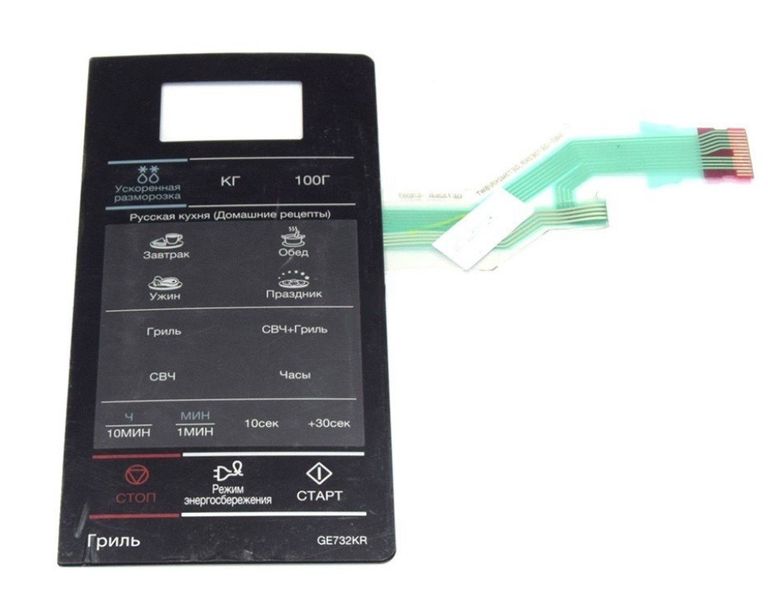
Touch panel (keyboard) for Samsung microwave oven DE34-00386H
Product description: The touch panel (keyboard) for the Samsung microwave oven DE34-00386H is designed to control the functions of the microwave. This keyboard provides easy access to settings and programs, allowing you to quickly and effortlessly prepare a variety of dishes. Replace a damaged or non-working keyboard to restore the full functionality of your Samsung microwave models GE732KR and GE732KR-S.
Specifications and compatibility
| Model | Part number |
|---|---|
| Samsung GE732KR | DE34-00386H |
| Samsung GE732KR-S | DE34-00386H |
How to choose the right product
When selecting a touch panel for your microwave, consider the following points:
- Ensure the part number matches DE34-00386H.
- Check compatibility with your microwave model - GE732KR or GE732KR-S.
- Pay attention to the condition of the item: new or refurbished.
Possible causes of malfunction and prevention methods
The touch panel may fail for several reasons:
- Moisture and debris on the panel can cause a short circuit.
- Mechanical damage, such as impacts or drops.
To prevent wear, keep the panel clean, avoid exposure to water and other liquids, and refrain from strong impacts on the microwave.
Difficulty of part replacement
Replacing the touch panel does not require special skills, but it does require care. The process can be completed in a few steps:
- Unplug the microwave from the power source.
- Remove the front panel by carefully unscrewing the fasteners.
- Disconnect the old touch panel from the electrical contacts.
- Install the new panel in place and connect it to the contacts.
- Secure the front panel back in place and plug the microwave back in.
The difficulty of replacement can be rated as low, and this process may take only 30-60 minutes.