


|
Quantity
|
Out of stock
|
||
|
|
|||
|
|
|||
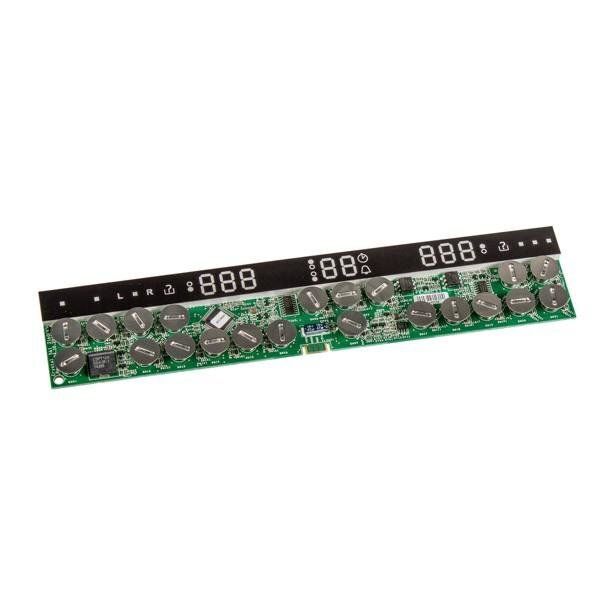
Control board (touch, middle) for Electrolux induction cooktop
The control board (touch, middle) is designed for Electrolux induction cooktops. This component enables the operation of the touch control elements, allowing users to easily adjust the temperature and heating power. When replacing the control board, it is important to consider compatibility with the specific model of the cooktop.
Technical specifications and compatibility
| Part number | 9825612165341 |
|---|---|
| Type | Touch control board |
| Compatible models | EHH99967FG, GU2 Electrolux 949596300 |
How to choose the right product
When selecting a control board, make sure you know the model of your cooktop. Check the part number and compatibility with your model using the table above. Also, pay attention to the type of board: touch, in this case, for precise control.
Possible causes of failure and prevention methods
The control board may fail for several reasons:
- Voltage fluctuations in the electrical network.
- Contact with moisture or contaminants, which can lead to short circuits.
- Mechanical damage during use or cleaning of the surface.
To prevent wear of the control board, it is recommended to:
- Use voltage stabilizers.
- Regularly clean the panel from contaminants, avoiding water contact with the touch elements.
- Handle the cooktop carefully, avoiding impacts and drops.
Difficulty of part replacement
Replacing the control board is a task of medium difficulty. To perform the replacement, follow these steps:
- Disconnect the cooktop from the power supply for safety.
- Remove the top panel using appropriate tools.
- Disconnect the old board by carefully detaching all connections.
- Install the new board, following the connection instructions.
- Reassemble the panel and reconnect to the power supply.
If you lack experience in repairing electrical devices, it is advisable to consult a professional to avoid damaging the equipment.