


|
Quantity
|
Out of stock
|
||
|
|
|||
|
|
|||
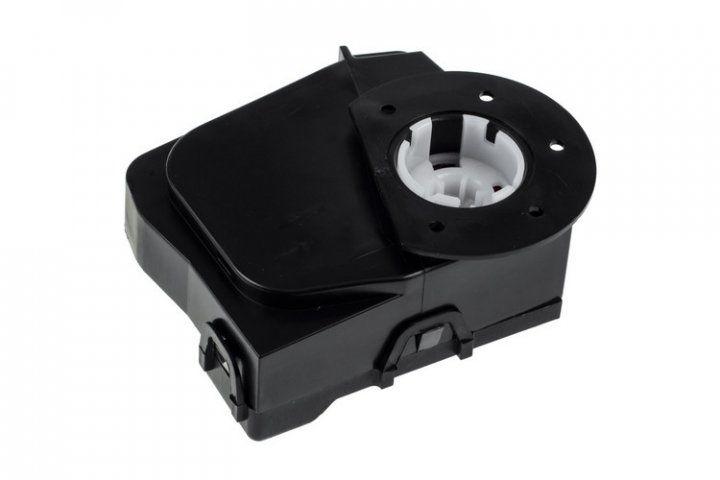
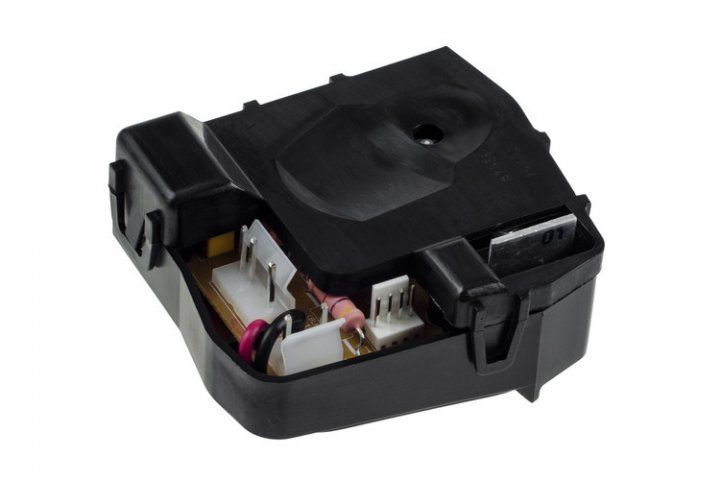
Control board (module) for Kenwood kitchen machine (KW660020)
Product description: The Kenwood control board (KW660020) is designed for Kenwood kitchen machines and manages various functions of the device, including pulse mode. This is an original part from Kenwood, ensuring high quality and reliability. Replacing the control board will help restore the functionality of your kitchen machine and enhance its capabilities.
Technical specifications and compatibility
| Specification | Value |
|---|---|
| Model | KW660020 |
| Type | Control board with pulse mode |
| Compatible models | KM290, KM300, KM310, KM315, KM316, KM330, KM331, KM334, KM335, KM336, KM340, KM346, KM353, KM355, KM357, KM410, KM500, KM600, KM610, KM615, KM616, KM630, KM631, KM635, KM636, KM640, KM646, KM665GP2, KM665MP2, KM665SP2, KM800, KM810, KM816, KM840, KMC500, KMC505, KMC506, KMC510, KMC515, KMC550, KMC560, KMC570, KMC572, KMC577, KMM700, KMM705, KMM710, KMM715, KMM750, KMM760, KMM770, KMM777 |
How to choose the right product
When selecting the Kenwood control board (KW660020), it's important to consider the following points:
- Ensure that your kitchen machine model is compatible with the listed models.
- Check the appearance of the old board: the absence of damage or signs of corrosion can assist in your choice.
- If necessary, confirm compatibility information with the seller.
Possible causes of failure and prevention methods
The control board may fail for the following reasons:
- Overheating: avoid prolonged operation of the device under maximum loads.
- Short circuit: check the electrical wiring and connection to the power supply.
- Moisture exposure: store the kitchen machine in a dry place and avoid water contact with electronic components.
Difficulty of part replacement
Replacing the Kenwood control board (KW660020) requires basic skills in working with electrical components and tools. It is recommended to follow these steps:
- Disconnect the kitchen machine from the power supply.
- Remove the device cover to access the control board.
- Disconnect the old board, noting the wire positions.
- Install the new board, connecting the wires according to the original layout.
- Close the device and perform testing.
Difficulty rating: moderate. If you lack experience with electronics, it is advisable to consult a professional for the replacement.