


|
Quantity
|
Out of stock
|
||
|
|
|||
|
|
|||
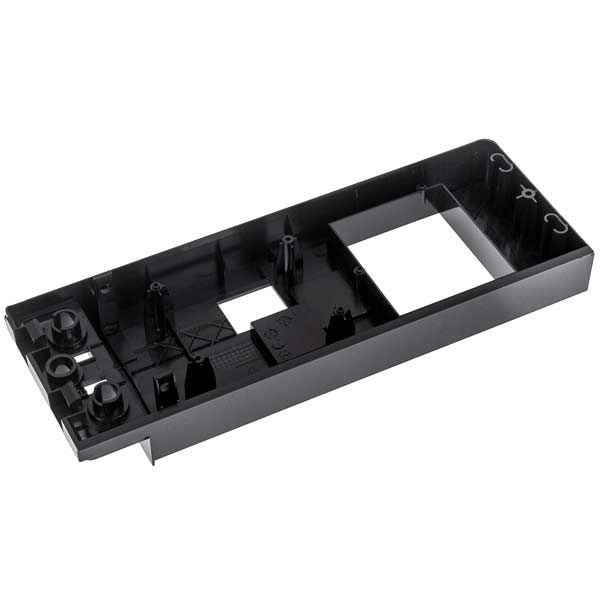
Touch control panel for Electrolux microwave (4055297701)
The touch control panel for Electrolux microwaves (part number: 4055297701) provides convenient and simple control over the functions of your microwave. This component is essential for allowing the user to select operating modes, set time and power levels, and manage other device functions. By replacing a damaged or faulty panel, you will restore the full functionality of your microwave.
Specifications and compatibility
| Part number | 4055297701 |
|---|---|
| Compatible models |
|
How to choose the right product
When selecting a touch control panel for your microwave, pay attention to the following points:
- Compare the part number with your current component; ensure it is exactly 4055297701.
- Check compatibility with your microwave model. The list of compatible models is provided above.
- Inspect the condition of the panel: it should be intact, without cracks or other damage.
Possible causes of failure and prevention methods
The touch panel may fail for several reasons:
- Physical damage: Impacts or drops can lead to panel breakage. To prevent this, handle the device carefully.
- Overheating: Operating at maximum power without breaks can cause overheating. It is recommended to take breaks between long cycles.
- Wear and tear: Over time, buttons may wear out. Monitor the condition of the panel and replace it at the first signs of malfunction.
Difficulty of part replacement
Replacing the touch control panel is not overly complicated, but it requires attention and care. Recommended steps:
- Disconnect the microwave from the power supply.
- Remove the front panel of the device by unscrewing the fasteners.
- Disconnect the old touch panel from the connectors.
- Install the new panel, connecting all necessary connectors.
- Secure the front panel in place and reconnect the microwave to the power supply.
The replacement may take about 30-60 minutes depending on your experience.