


|
Quantity
|
Out of stock
|
||
|
|
|||
|
|
|||
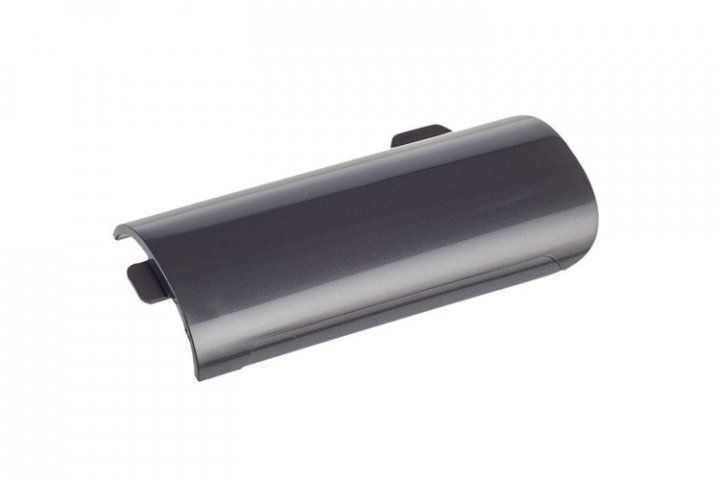
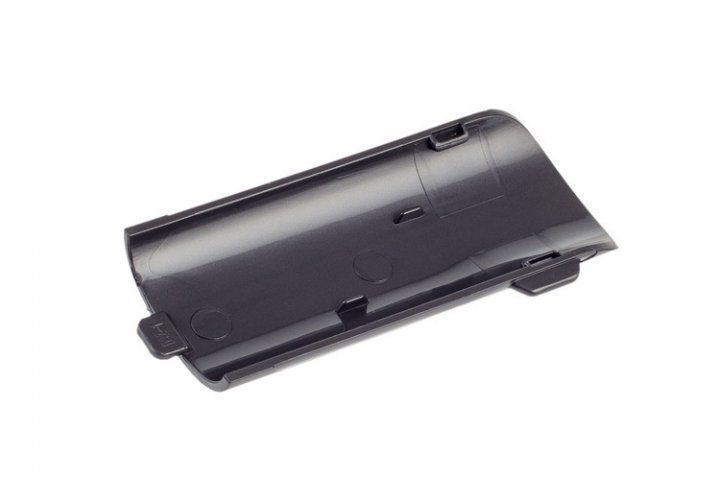
Battery compartment cover for Samsung vacuum cleaner (DJ63-01308A)
The battery compartment cover for Samsung (DJ63-01308A) is an essential part for your vacuum cleaner, providing protection and safety for the battery compartment. This cover helps prevent dust and debris from entering the device and protects the batteries from damage. If your old cover is broken or lost, replacing it with the new model DJ63-01308A will restore your vacuum cleaner's functionality.
Specifications and compatibility
| Model | Compatible models |
|---|---|
| DJ63-01308A | Samsung VC21F60JUH1/EV, VC21K5170HG/EV, VC05K71F0HB/UK, VC21F60JUK1/UK, VC21F60JUK1/EV, VC20F70HNBN/EV, VC15K4170HG/EV, VC21K5150HP/EV, VC21F50HUDU/EV, VW17H9050HN/EV, VC20F70HUCC/EV, VW17H9070HU/EV, VC07K51G0HG/GE, VC15K4176HG/UK, VC15K4176HG/EV, VC21K5170HG/UK, VC15H4071H2/EV, VW17H9090HC/EV, VW17H9071HR/EV, VC20F70HNAR/EV, VC21F60JUDB/EV |
How to choose the right product
When selecting a battery compartment cover for your vacuum cleaner, consider the following points:
- Compatibility with your vacuum cleaner model. Check if your model is listed among the compatible ones.
- The part number (DJ63-01308A) should match the number on your old part, if you have it.
- Pay attention to the material and quality of construction to ensure durability and reliability.
Possible causes of failure and prevention methods
The battery compartment cover may fail for several reasons:
- Mechanical damage from drops or impacts.
- Wear of the material due to constant use.
- Moisture or dust entering the compartment.
To prevent premature wear of the cover, it is recommended to:
- Regularly clean the vacuum cleaner from dust and debris.
- Avoid impacts and drops of the device.
- Do not leave the vacuum cleaner in areas with high humidity.
Difficulty of part replacement
Replacing the battery compartment cover is a relatively simple procedure and can be done by yourself:
- Disconnect the vacuum cleaner from the power supply and ensure it is completely turned off.
- Remove the old cover by gently prying it off with a flat object if it is stuck.
- Install the new cover, ensuring it is securely in place.
- Check that the cover is not loose and securely holds the batteries in place.
Difficulty level: low. Even a beginner can handle the replacement.