


|
Quantity
|
Out of stock
|
||
|
|
|||
|
|
|||
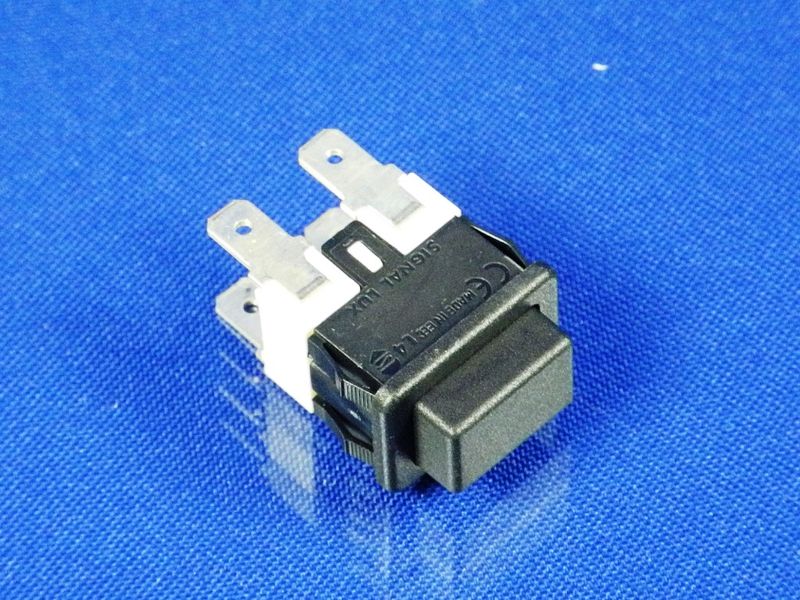
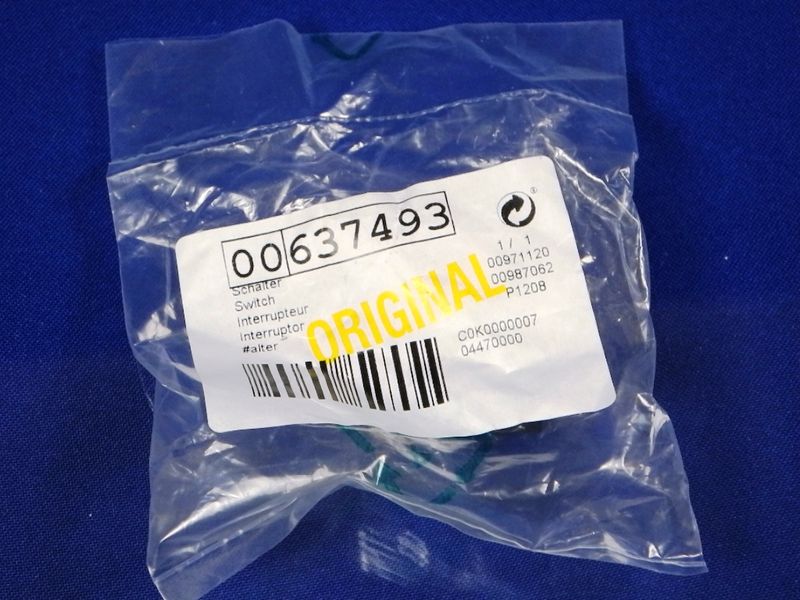
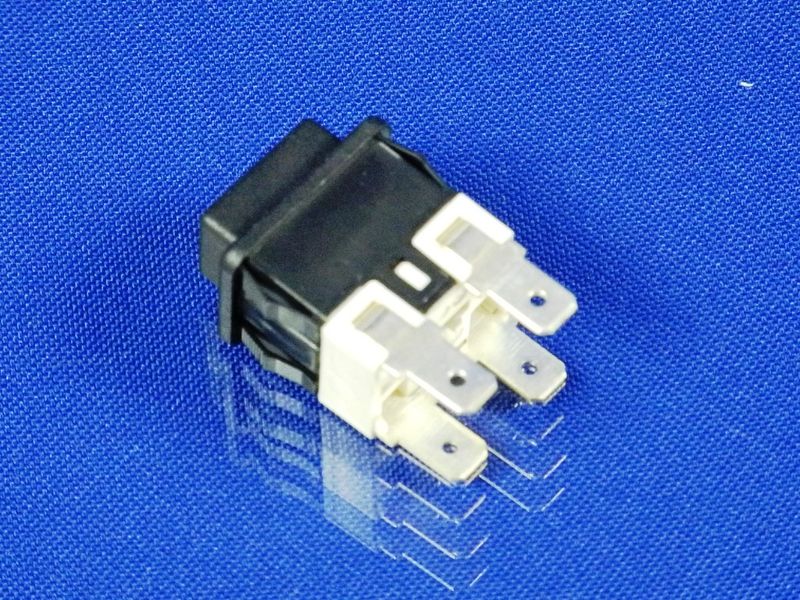
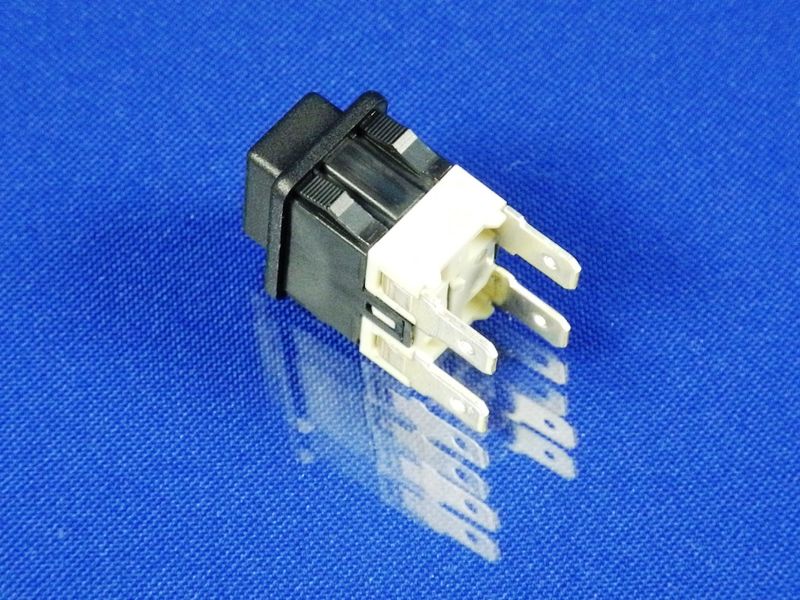
Power button (network) for Bosch/Zelmer vacuum cleaners (07.0428) (637493)
The power button (network) is designed for use in Bosch and Zelmer vacuum cleaners. This part ensures a reliable and safe connection of the device to the electrical network, allowing the user to easily turn the vacuum cleaner on and off. It is compatible with various models listed below and has the following specifications: 250V, 13A.
Specifications and model compatibility
| Parameters | 250V, 13A |
|---|---|
| Compatible models | ZVC780ZW(619.5SV), ZVC752SPUA(01)(919.0SP), ZVC782XWRU(616.6EU), ZVC712SKUA(819.0SK), AP8000/01, ZVC752ZT(919.5ST), ZVC752SP(03)(919.0SP), ZVC762ZK(VC7920.5SK), ZVC762STRU(VC7920.0ST), ZVC762SP(VC7920.0SP), ZVC752ZTUA(01)(919.5ST), ZVC752ZKUA(919.5SK), ZVC752ZPUA(01)(919.5SP), ZVC752ZKRU(01)(919.5SK), ZVC752STUA(919.0ST), ZVC762STUA(VC7920.0ST), ZVC712SKRU(819.0SK), Z6195D5EW(619.5D5EW), ZVC752SP(02)(919.0SP), ZVC722ZKUA(829.5SK), ZVC722SP(829.0SP), ZVC762ZP(VC7920.5SP), CVC722ST, CVC712SK/01, ZVC752ST(02)(919.0ST), ZVC752STUA(01)(919.0ST), ZVC752ZK(01)(919.5SK), ZVC752ZPUA(919.5SP), ZVC752ZKUA(01)(919.5SK), ZVC780XWRU(619.5.D4S), ZVC752SPRU(919.0SP), ZVC752XTRU(03)(919.0ST), ZVC712SK(819.0SK), ZVC722ZK(829.5SK), ZVC752ZKRU(02)(919.5SK), ZVC752STRU(01)(919.0ST), ZVC752ZTUA(919.5ST), ZVC752STRU(04)(919.0ST), ZVC752STUA(02)(919.0ST), ZVC722STUA(829.0ST), ZVC752SP(919.0SP), ZVC752STRU(919.0ST), ZVC752ZK(02)(919.5SK), AP9000/02, ZVC752SPRU(04)(919.0SP), ZVC722ST(829.0ST), ZVC752ST(01)(919.0ST), ZVC762ZKRU(VC7920.5SK), ZVC752ZKRU(919.5SK), ZVC752ZPRU(02)(919.5SP), ZVC752ZT(02)(919.5ST), ZVC712SP(819.0SP), ZVC782XW(616.6EU), CVC722ST/01, ZVC752SP(01)(919.0SP), ZVC762ZPRU(VC7920.5SP), ZVC752ZP(01)(919.5SP), ZVC752ZP(02)(919.5SP), GVC752SP/01, ZVC752XTRU(01)(919.0ST), ZVC752ST(919.0ST), ZVC752ZK(919.5SK), ZVC752ZPRU(919.5SP), ZVC752SPUA(02)(919.0SP), ZVC762SPRU(VC7920.0SP), ZVC780YWRU(619.5.D4E), ZVC762ST(VC7920.0ST), ZVC752SPUA(919.0SP), ZVC752ST(04)(919.0ST), ZVC752ZPRU(01)(919.5SP), ZVC752ZP(919.5SP), ZVC752STRU(02)(919.0ST), ZVC752STRU(03)(919.0ST), ZVC752SPRU(02)(919.0SP), ZVC752ST(03)(919.0ST), GVC752SP/02, ZVC780YW(619.5EW), ZVC752ZT(01)(919.5ST), ZVC752XTRU(919.0ST), ZVC752XTRU(02)(919.0ST), ZVC752SPRU(03)(919.0SP), ZVC762SPUA(VC7920.0SP), AP9000/01, ZVC780ZWRU(619.5EW), ZVC712ZK(819.5SK), ZVC762ZPUA(VC7920.5SP), ZVC762ZKUA(VC7920.5SK), ZVC752SPRU(01)(919.0SP), ZVC752SP(04)(919.0SP), ZVC722SPUA(829.0SP) |
How to choose the right product
When selecting a power button for your vacuum cleaner, pay attention to the following points:
- Compatibility: Ensure that the model of your button matches the model of your vacuum cleaner listed in the compatible models.
- Specifications: Check that the parameters (voltage and current) match those specified in the description.
- Condition of the part: When purchasing a used part, ensure there are no mechanical damages or wear.
Possible causes of failure and prevention methods
The power button may fail for the following reasons:
- Wear: Frequent use can lead to physical wear of the button.
- Overload: Using the vacuum cleaner beyond its rated capacity can cause overheating and failure of the button.
- Moisture: Prolonged exposure to moisture can lead to corrosion of contacts.
To prevent wear, it is recommended to:
- Regularly clean the button from dust and dirt.
- Avoid overheating the device.
- Store the vacuum cleaner in a dry place.
Difficulty of part replacement
Replacing the power button in a vacuum cleaner is a task of moderate difficulty. It requires basic knowledge of electrical devices and carefulness. It is recommended to follow this algorithm:
- Disconnect the vacuum cleaner from the power supply.
- Remove the vacuum cleaner's casing to access the button.
- Disconnect the old button.
- Install the new button in place.
- Reassemble the casing and reconnect the vacuum cleaner to the power supply.
If you are unsure of your abilities, it is better to consult a professional.