


|
Quantity
|
Out of stock
|
||
|
|
|||
|
|
|||
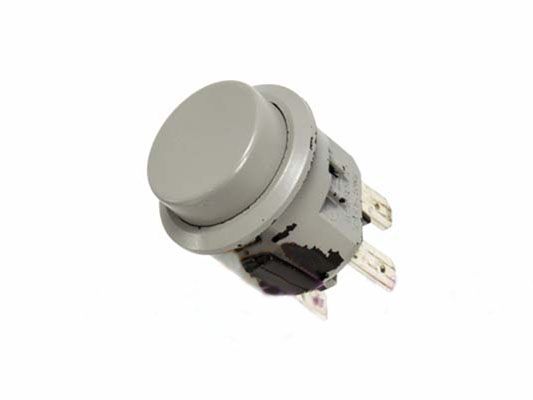
Power button for Liberty meat grinder (T185-55 MG-1000)
Power button (switch / power button) is designed for the Liberty meat grinder model MG-1000. This is an original product from the manufacturer Liberty, ensuring reliable operation for turning the device on and off.
Technical specifications
| Parameters | Value |
|---|---|
| Rated current | 10A |
| Rated voltage | 250V |
| Compatibility | Model MG-1000 |
How to choose the right product
When selecting a power button for your meat grinder, be sure to pay attention to the following points:
- Ensure that the button is compatible with your meat grinder model (in this case, MG-1000).
- Check the specifications, such as rated current (10A) and voltage (250V), to avoid overloads.
- Choose original parts from the manufacturer to guarantee reliability and durability.
Possible causes of failure and prevention methods
The power button may fail for several reasons:
- Overloading the device, which can lead to overheating of the button.
- Moisture or dirt entering the button.
- Long-term use without maintenance.
To prevent wear on the button, it is recommended to:
- Regularly clean the button from dirt.
- Avoid overloading when using the meat grinder.
- Prevent water from coming into contact with the button.
Difficulty of part replacement
Replacing the power button is a relatively simple procedure. You can do it yourself by following these steps:
- Unplug the meat grinder from the power source.
- Remove the meat grinder casing by unscrewing the screws.
- Disconnect the old button from the wires.
- Install the new button by connecting the wires.
- Reassemble the casing and check the device's operation.
The difficulty rating for replacement is low. With basic electronic skills, replacing the button should take no more than 15-30 minutes.