


|
Quantity
|
Out of stock
|
||
|
|
|||
|
|
|||
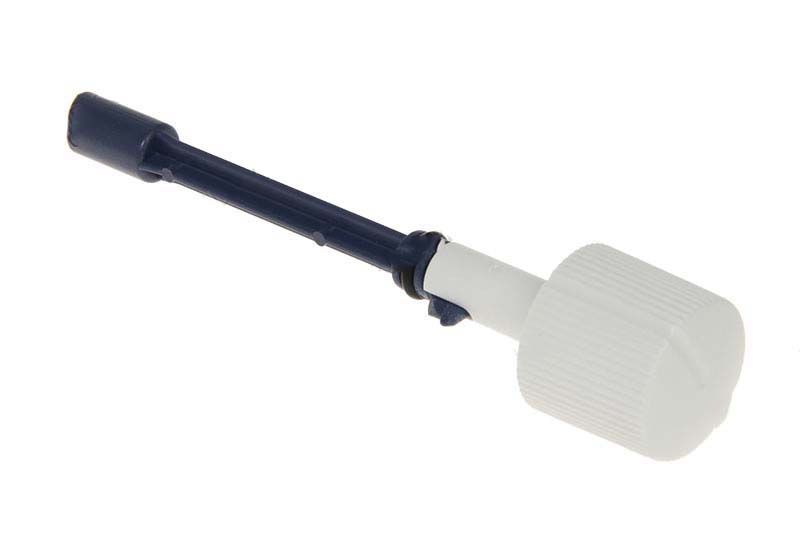
Steam button for Braun iron (BR67051051)
The steam button for Braun iron (part number: BR67051051) is an essential component responsible for steam delivery during ironing. Replacing this button is necessary if it has malfunctioned, which can lead to ineffective operation of the iron. This button is compatible with the following models:
- BRAUN TexStyle 3 EasyStyle 320 (white/lilac)
- BRAUN TexStyle 3
- BRAUN EasyStyle
- BRAUN TexStyle 3 TS 320
Technical specifications
| Part number | BR67051051 |
|---|---|
| Type of part | Steam button |
| Compatibility | BRAUN TexStyle 3, EasyStyle |
How to choose the right product
When selecting a steam button for your Braun iron, pay attention to the following points:
- Ensure that the part number matches your iron (BR67051051).
- Check compatibility with your iron model to avoid errors during purchase.
- Review feedback and ratings for the part, if available, to ensure quality.
Possible causes of failure and prevention methods
The steam button may fail for the following reasons:
- Wear and tear from frequent use.
- Water or steam entering the button, which can lead to corrosion.
- Physical damage from dropping the iron.
To prevent wear, we recommend:
- Regularly cleaning the iron from limescale and dirt.
- Avoid overheating the iron and using it as intended.
Difficulty of part replacement
Replacing the steam button in a Braun iron is a moderately challenging task. It is recommended to follow these steps:
- Unplug the iron and allow it to cool down.
- Remove the iron's casing by unscrewing the screws (use a screwdriver if necessary).
- Disconnect the old button from the wires and remove it.
- Install the new button by connecting the wires.
- Reassemble the iron's casing and ensure all screws are securely fastened.
If you have basic technical skills, you can perform the replacement yourself. However, if you have any doubts, it is better to consult a professional.