


|
Quantity
|
Out of stock
|
||
|
|
|||
|
|
|||
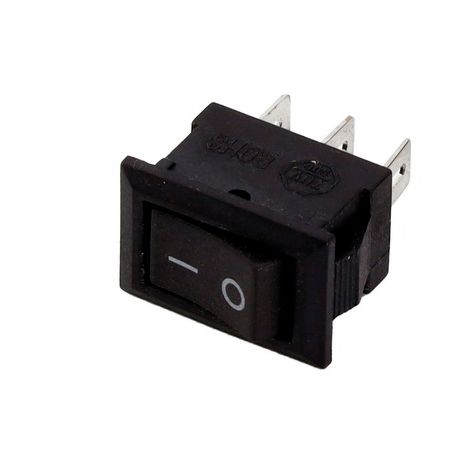
Single network button 40346
Article number: 40346
Dimensions: 9x14 mm
Number of contacts: 3 (2-position)
Product description
The single network button 40346 is designed for controlling electrical devices in both home and industrial settings. It features a compact size and is made from durable plastic, ensuring longevity and reliability in use. This button can be utilized in various devices, providing convenient and safe access to control.
Technical specifications
| Parameter | Value |
|---|---|
| Type | Control button |
| Rated current and voltage | 3 A(6 A)/~250 V(125 V) |
| Number of positions | 2 |
| Protection class | IP22 |
| Connection | Terminal 3.8 mm - 3 pcs. |
| Dimensions (HxWxD) | 15x10x18.5 mm |
| Mounting dimensions (HxW) | 14x9 mm |
| Mounting depth (excluding terminals) | 9 mm |
| Material | Plastic |
| Country of manufacture | China |
Compatibility
This button has a wide range of applications and can be used in various household and industrial devices. Before purchasing, ensure its compatibility with your equipment.
How to choose the right part
- Check the button dimensions and mounting dimensions. They should match your device.
- Ensure that the rated current and voltage of the button are suitable for your equipment.
- Verify the number of positions and contacts to avoid mismatches.
Causes of failure
The button may fail for the following reasons:
- Contact wear due to prolonged use.
- Moisture ingress, which can lead to short circuits.
- Overloading due to voltage or current.
Replacement recommendations
To replace the button, follow these steps:
- Disconnect the power supply to the device.
- Remove the panel to access the button.
- Disconnect the old button, noting the order of the wire connections.
- Install the new button, connecting the wires in the same order.
- Secure the panel and turn the power back on.
Replacement difficulty
Replacing the single network button 40346 can be done independently if you have basic skills in working with electrical devices. It is recommended to follow the instructions and be cautious when working with electricity.
Preventing damage
To avoid damaging the button, follow these recommendations:
- Regularly check the condition of the button and wiring.
- Do not overload the electrical network.
- Avoid moisture exposure to the button.