


|
Quantity
|
Out of stock
|
||
|
|
|||
|
|
|||
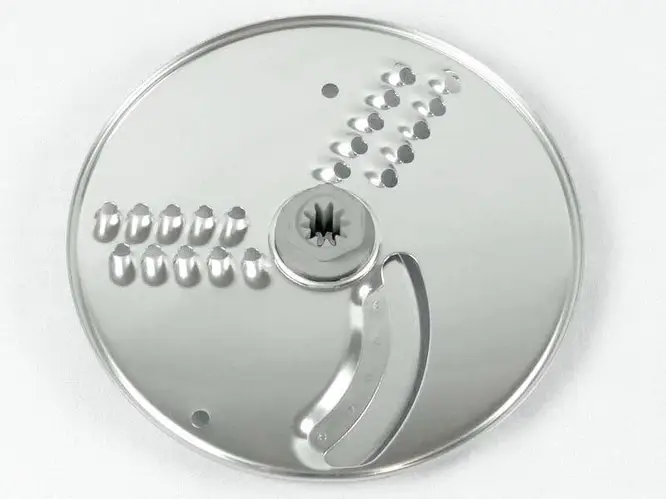
Kenwood thick slicing and coarse grating disc (KW714288)
The Kenwood thick slicing and coarse grating disc (KW714288) is designed for use with Kenwood food processors. It is perfect for quickly and efficiently slicing vegetables and fruits, as well as grating cheese and other ingredients. This accessory significantly simplifies the cooking process, allowing you to save time on slicing and preparing food. The KW714288 part ensures high-quality slicing thanks to its durable material and thoughtful design.
Specifications and compatibility
| Feature | Description |
|---|---|
| Part number | KW714288 |
| Type | Slicing and grating disc |
| Material | Stainless steel |
Compatible models:
- KENWOOD FDP304SI
- Multipro Compact Food Processor FPP235 FOOD PROCESSOR + LIQUIDISER + CITRUS PRESS + DOUGH TOOL - SILVER
- Multipro Compact Food Processor FPP235 FOOD PROCESSOR, LIQUIDISER & CITRUS PRESS - SILVER
- FDP302SI
- Multipro Compact Food Processor FPP225 FOOD PROCESSOR + LIQUIDISER - SILVER
- Multipro Compact Food Processor FPP215
- FDP301SI
How to choose the right product
To choose the right disc for your Kenwood food processor, consider the following points:
- Ensure the part number matches KW714288.
- Check compatibility with your food processor model listed above.
- Pay attention to the material of the disc - it is preferable to choose accessories made of stainless steel for durability.
Possible causes of malfunction and prevention methods
Malfunctions of the disc can occur for the following reasons:
- Blade wear due to prolonged use.
- Ingestion of hard objects, which can lead to damage.
- Improper storage or use under heavy load.
To prevent wear, it is recommended to:
- Regularly check the condition of the blades and replace the disc at the first signs of damage.
- Use the disc only for its intended purpose.
- Store the disc in a safe place, protected from mechanical damage.
Difficulty of part replacement
Replacing the disc on a Kenwood food processor is a relatively simple procedure. Below are the steps for replacement:
- Unplug the food processor from the power outlet.
- Remove the device cover.
- Take out the old disc by gently pulling on the fastening mechanism.
- Install the new disc, ensuring it is securely locked in place.
- Close the cover and plug the processor back into the power outlet.
The replacement process takes no more than 10 minutes and does not require special tools, making it accessible even for inexperienced users.