


|
Quantity
|
Out of stock
|
||
|
|
|||
|
|
|||
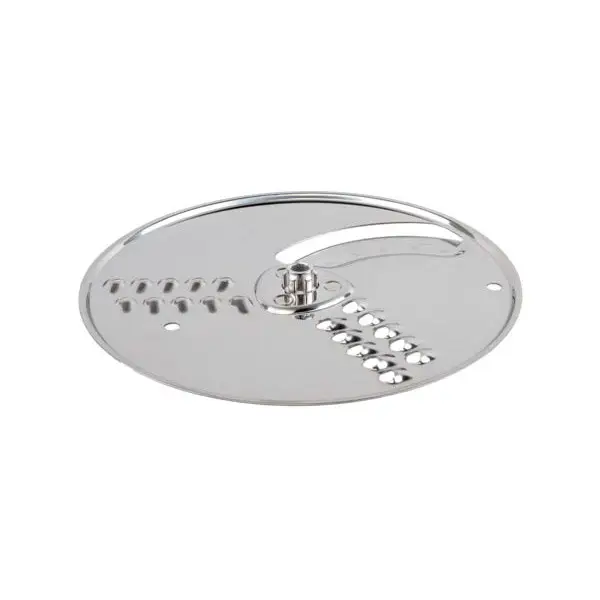
Kenwood thick slicing and coarse grating disc (KW608632)
The Kenwood thick slicing and coarse grating disc (model KW608632) is designed for use with Kenwood food processors. This accessory allows you to quickly and efficiently slice vegetables, fruits, and other ingredients into large pieces, as well as grate them coarsely. It is perfect for preparing salads, casseroles, and other dishes that require fast ingredient processing.
Specifications and compatibility
| Model | Part number |
|---|---|
| Kenwood FP555 | KW608632 |
| Kenwood FP295 | KW608632 |
| Kenwood FP596 | KW608632 |
| Kenwood FP676 | KW608632 |
| Kenwood FP404 | KW608632 |
| Kenwood FP310 | KW608632 |
| Kenwood FP560 | KW608632 |
| Kenwood FP505 | KW608632 |
| Kenwood FP370 | KW608632 |
| Kenwood FP670 | KW608632 |
| Kenwood FP476 | KW608632 |
| Kenwood FP606 | KW608632 |
| Kenwood FP470 | KW608632 |
| Simac FP460 | KW608632 |
| Simac FP450 | KW608632 |
| Simac FP570 | KW608632 |
| Simac FP660 | KW608632 |
| Simac FP350 | KW608632 |
How to choose the right product
When selecting a disc for your food processor, it is important to pay attention to compatibility with your model. Ensure that the part number KW608632 matches your processor. Also, check that the disc is either original or a suitable equivalent, which will ensure durability and reliability during use.
Possible causes of failure and prevention methods
The disc may fail for several reasons:
- Wear from frequent use.
- Improper use, such as slicing overly hard ingredients.
- Lack of maintenance (insufficient cleaning after use).
To prevent wear, follow these recommendations:
- Use the disc only for its intended products.
- Regularly clean the disc after use.
- Store it in a safe place to avoid damage.
Difficulty of part replacement
Replacing the slicing and grating disc is a fairly simple procedure and does not require specialized tools. Usually, it is sufficient to follow these steps:
- Disconnect the food processor from the power supply.
- Remove the old disc by pressing the release button.
- Install the new disc, ensuring it is securely in place.
- Reconnect the processor and check the operation of the new disc.
The overall difficulty of replacement is low, making it suitable for both professional repair technicians and home users.