


|
Quantity
|
Out of stock
|
||
|
|
|||
|
|
|||
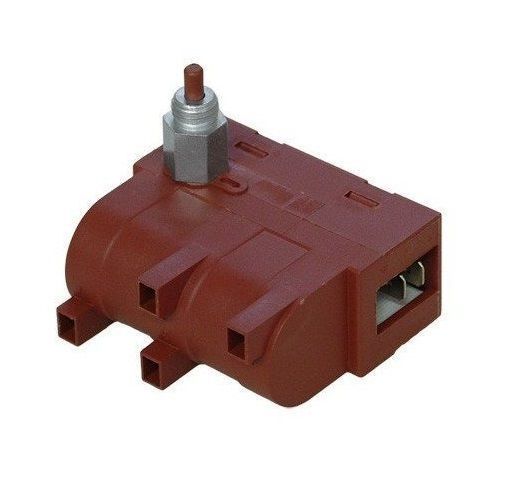
Ignition module with 4 outputs and button CANDY 49005313, Whirlpool 481914578137 (00232155)
The ignition module with 4 outputs is designed to provide reliable ignition in gas stoves and ovens. This component is compatible with CANDY and Whirlpool models, making it a versatile solution for many users.
Product description
Model: CANDY 49005313, Whirlpool 481914578137 (00232155)
Type: Ignition module with 4 outputs and button
Technical specifications
| Parameter | Value |
|---|---|
| Number of outputs | 4 |
| Button type | Mechanical |
| Compatibility | CANDY, Whirlpool |
How to choose the right part
When selecting an ignition module, it is important to consider the following factors:
- Compatibility with your device model. Ensure that the part number meets your requirements.
- Number of outputs. This module has 4 outputs, allowing for multiple burners to be connected.
- Button type. Check which button type is best suited for your device (mechanical or electronic).
Causes of ignition module failure
Some common reasons for ignition module damage include:
- Power surges.
- Improper installation or connection.
- Wear due to prolonged use.
Methods to prevent failure
To avoid ignition module failures, follow these recommendations:
- Regularly check the electrical wiring and connection condition.
- Do not overload the module by connecting too many burners at once.
- Use surge protection devices.
Replacement recommendations
Replacing the ignition module can be done by yourself. Follow these steps:
- Disconnect gas and electricity from the stove.
- Remove the panel to access the ignition module.
- Disconnect the wires from the old module, remembering their arrangement.
- Install the new module, connecting the wires according to the previously noted arrangement.
- Check the module's functionality by turning on the stove.
Difficulty level of replacement
Replacing the ignition module is rated as medium difficulty. A basic toolset and some experience in appliance repair will be required.
Make sure you have selected the correct part and follow the provided instructions to successfully complete the replacement and restore your device's functionality.